

Ad-blocker type 1: A dedicated ad-blocker programme
The most common reason you might see an ‚ad blocker notice‘ on our site is because you’re using a dedicated ad blocker. For example, if you see the following icon in your browser – which looks like a stop sign – you can click on it and then adjust the blue slider:
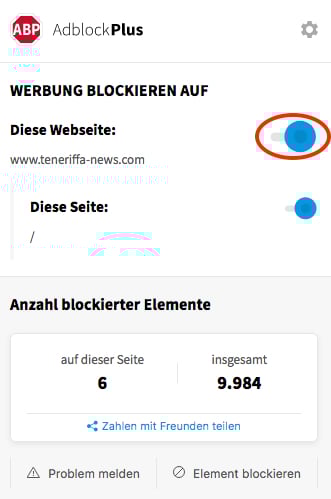
You can then refresh the page and you should be able to use Teneriffa News as normal again.
Ad blocker option 2: A native browser feature
If you haven’t installed an ad blocker or are still seeing the message despite following the step above, a native feature of your browser may also be causing the problem. To find out, follow these steps. If you see a shield icon in your browser’s address bar, simply click on it (top left in the image below):
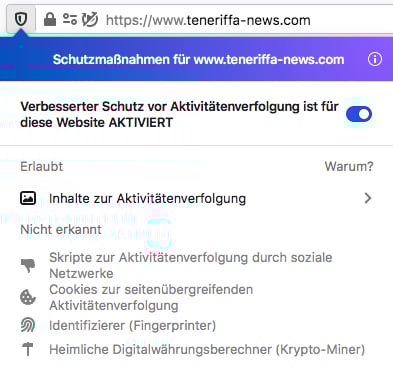
If you click on the blue slider on the right and reload the page, you should be able to use Teneriffa News as normal again.
Ad blocker variant 3: An antivirus programme
Become a member
The easiest way to support us whilst no longer seeing any adverts is to take out a ‚Pur‘ membership. Our ad-free membership, which offers you full access to the portal and also provides the best value for money, can be found here.